How Important Are Photos On Google Business Profile? (2026 Guide)

By Perry Stevens, Blend Local Search Marketing | May 2026
Key Stat: Companies with photos on their Google Business Profile receive 42% more requests for driving directions and 35% more click-throughs to their websites than businesses without photos. And businesses with 100+ images get 520% more calls, 2,717% more direction requests, and 1,065% more website clicks than the average business. (Source: Google, "Google Business Profile Insights Study", 2024; BrightLocal, "Local Consumer Review Survey", 2025)
TL;DR
- Photos drive 42% more direction requests and 35% more website clicks on Google Business Profile.
- Upload high-quality, unfiltered images — clear, crisp photos build trust; over-processed images mislead customers and violate Google's guidelines.
- Use all photo categories — interior, exterior, staff, merchandise, and services to give prospects a complete picture of your business.
- Encourage customers to upload their own photos — authentic user-generated content provides social proof and fresh content continuously.
- Monitor and flag irrelevant photos — maintain control over your visual brand by reviewing customer uploads regularly.
The photos section of Google Business Profile listings is one of the most overlooked features. When done right, however, your GBP photos can earn you more organic traffic and revenue via Google, the world's foremost search engine.
Statistics reveal that companies with GBP photos receive 42% more inquiries for driving directions and 35% more click-throughs from customers.
When your potential customers are looking for your services, photos are extremely valuable to gaining their trust. The goal is to get them to go deeper into your products and services.
Below are some tips so you can portray your business in its best light.
Make Sure Your Images are of High Quality
You should upload images that are clear and crisp without any filters on your Google Business Profile listing.
Post pictures of your business that show what it looks like. As with anything, you get what you see — but it is better if you drop by. You do not need a professional photographer to take photos of your location (although if you happen to have the budget, it is okay). Just do not overdo the post-processing. Photo manipulation is discouraged by Google, as it can mislead customers and, therefore, lead to the loss of trust and confidence in your business.
Utilise Photo Categories
What are the categories in which each photo belongs? Depending on the results, you can decide which ones to upload and which to ignore (again, do not upload just about anything). To get you started, Google has gathered a list of categories, but we recommend uploading the following types:
- Interior — amenities, lobbies (for accommodations), aisles in stores
- A variety of angles of your storefront, a few landmarks with your store in the shot
- Service staff performing various types of services (TV repair, paver installation, massage)
- Merchandise — the items you sell at stands and aisles, or the foods you serve
- Staff in the office, at meetings, or participating in events organised by the company
Please take note that exterior and interior shots are only available for some businesses. It is not necessary to upload office photos if your location is a service area with no customer consultations — but you should upload staff photos.
Restaurants can also upload images of their menu on GBP — but make sure the text is readable and clear.
We have saved the best for last?
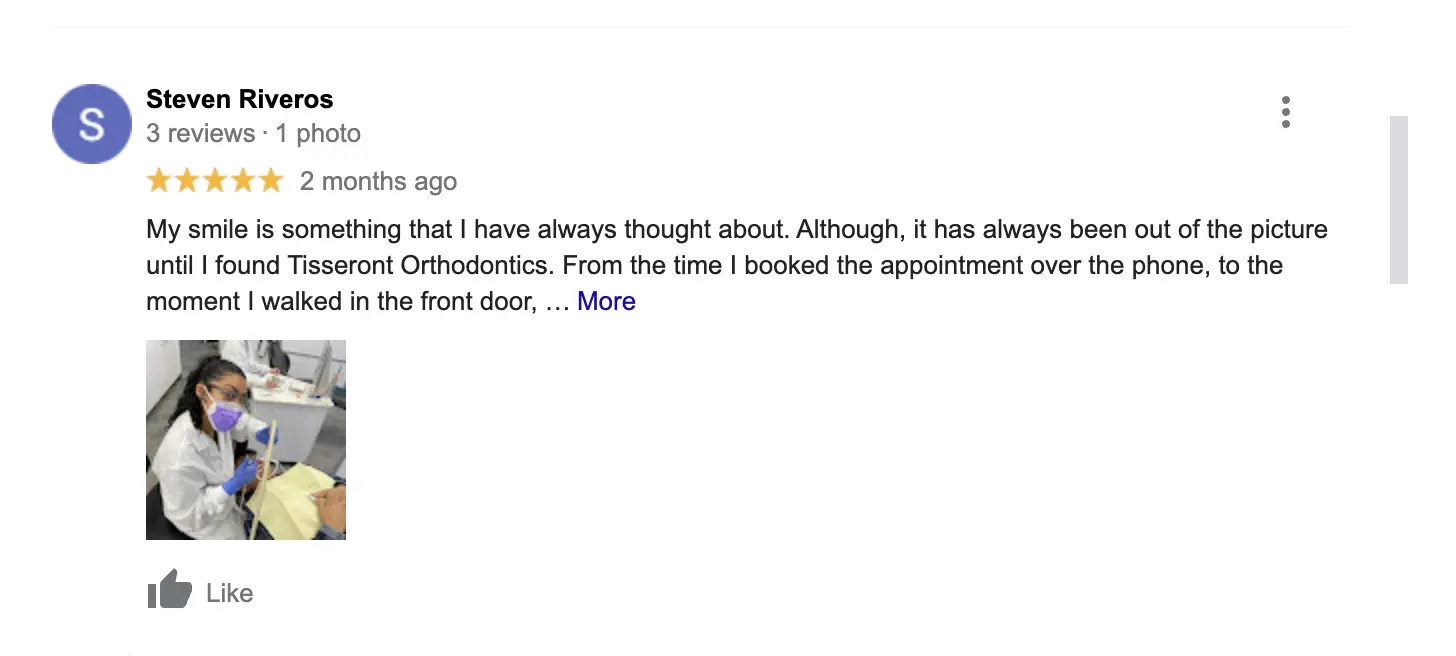
Have Your Customers Upload Your Content For You
When customers review your establishment, they can upload their photos to your Google Business Profile page. Customers benefit from this because it gives them an authentic look at your business since customers uploading photos are typically doing so from their phones. When you do not have any new photos to upload yet, this is the perfect time for you to collect more photos as it continuously provides new content.
There is, however, some risk involved. The images your customers post to your GBP listing are sometimes beyond your control, but you can flag and report irrelevant photos. It can be inconvenient to moderate photos, but Google will offer assistance to business owners in resolving issues.
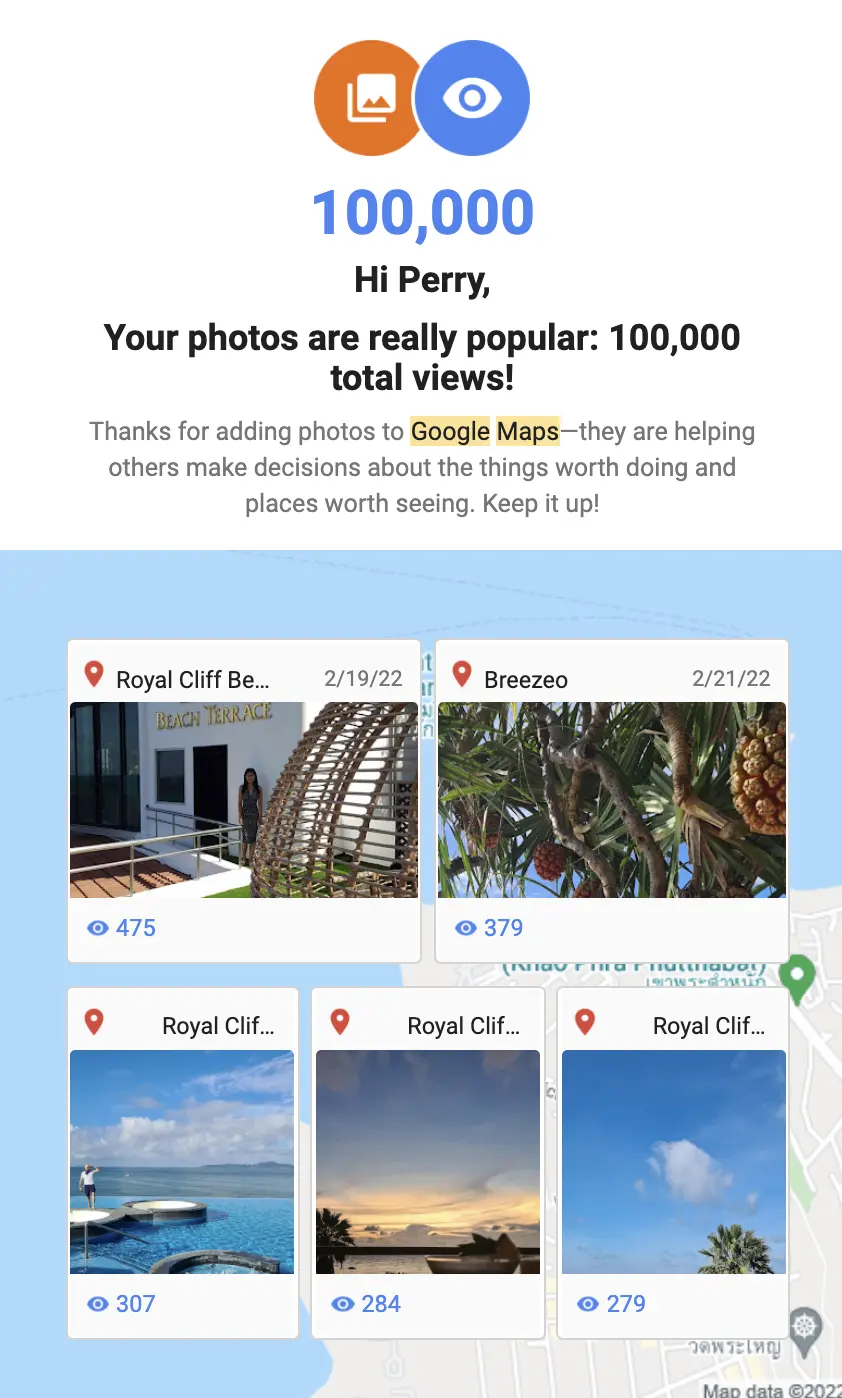
Need further proof this works?
Check out these images stats from my last vacay.
If you are struggling with your business ranking in maps, contact us today for a chat to see how we can help.
FAQ
How many photos should I upload to my Google Business Profile?
As many high-quality photos as possible. Research shows that businesses with 100+ images receive 520% more calls, 2,717% more direction requests, and 1,065% more website clicks than the average business. Aim to upload at least 5-10 photos per category (interior, exterior, products, team, services). Google recommends updating photos regularly — fresh images signal an active, engaged business to both Google and potential customers. Set a calendar reminder to add new photos monthly.
What size and format should GBP photos be?
Google recommends photos between 720px and 3,000px on the longest side, in JPEG or PNG format. File size should be under 5MB per image. For best results, use a 4:3 or 16:9 aspect ratio. Cover photos should be at least 1,080 x 608 pixels. Always upload the highest quality version you have — Google will automatically resize and compress for different contexts. Avoid screenshots, heavily filtered images, or photos with excessive text overlays.
Can I use stock photos on my Google Business Profile?
No — and doing so can get your photos removed or your listing suspended. Google explicitly prohibits stock photos, professional marketing photos that misrepresent your business, and images with excessive text or watermarks. Your GBP photos should accurately reflect your actual business location, team, products, and services. Authentic, real photos build trust with potential customers. If you must use professional photos, ensure they were taken at your actual premises and show your real team and environment.
How do customer photos affect my Google Business Profile?
Customer photos provide powerful social proof and fresh content that Google values highly. They appear in your photo gallery alongside your own uploads and in search results. Positive customer photos showing happy customers, clean premises, or appealing products can significantly influence purchase decisions. However, you should regularly monitor customer photos and flag any that are irrelevant, inappropriate, or misleading. To encourage customer photos, simply ask happy customers to "snap a photo and share it on Google" after their visit.
How often should I update my Google Business Profile photos?
Monthly at minimum. Regular photo updates signal to Google that your business is active and well-maintained, which can positively impact your local ranking. Update photos whenever you have significant changes — new team members, renovated premises, new products, seasonal decorations, or special events. Practices that update photos at least once per month see higher engagement rates and better local search visibility. Consider creating a simple content calendar: team photos in week 1, product shots in week 2, behind-the-scenes in week 3, and customer features in week 4.
About the Author
Perry Stevens is the founder and CEO of Blend Local Search Marketing, a Singapore-based agency helping local businesses dominate search through conversion-focused content and SEO. With over 15 years in digital marketing, he has helped hundreds of businesses optimise their Google Business Profiles for maximum visibility. He is a tea drinker, cocoa grower and a frequent traveller. Connect with Perry on LinkedIn.
Need help with your Google Business Profile?
Our Local Visibility Audit identifies exactly what's holding your GBP back and delivers a clear action plan to boost your rankings, calls, and website visits.
Book a Free Audit